Publishing Overview
Understand the BasePrice publishing workflow. Review calculated price changes, publish to Apple App Store and Google Play, and track per-country results.
The Publishing Workflow
Publishing in BasePrice follows a three-step process:
Review Changes
The publish panel shows a summary of every platform and product that will be updated, including the number of countries affected and any readiness issues.
Publish
Click Publish to push prices to Apple App Store and/or Google Play simultaneously. BasePrice handles API rate limiting, retries, and error recovery.
Verify Results
After publishing, review the per-country results. Each country shows success or failure status, and errors are logged for troubleshooting.
What Gets Published
When you publish, BasePrice sends the draft prices (calculated from your pricing configuration + overrides) to each connected store for each mapped product.
- Apple App Store — Prices are set per territory using the App Store Connect API
- Google Play — Prices are set per region using the Google Play Developer API
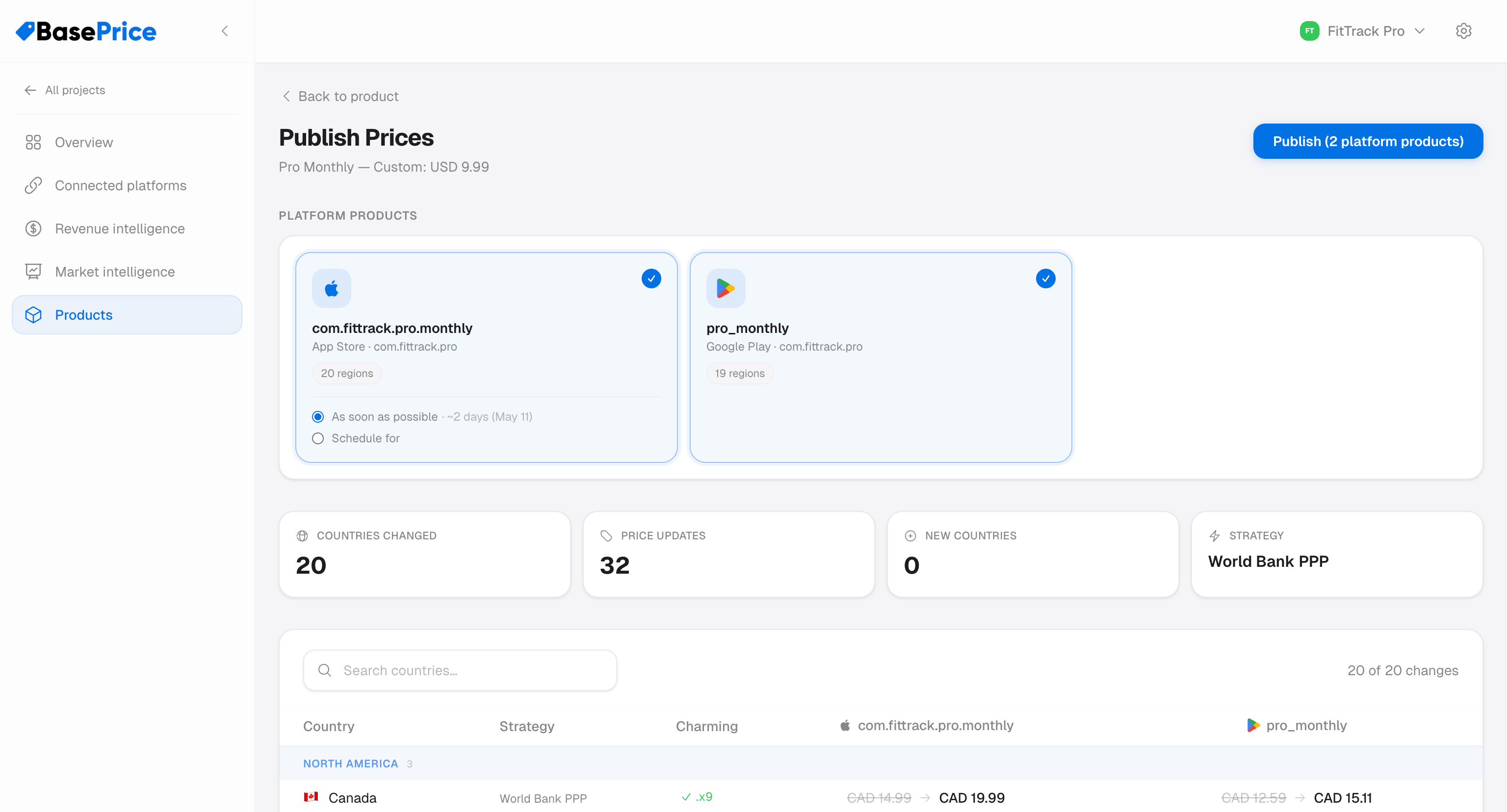
Publishing Requirements
Before you can publish, each store product needs:
| Requirement | Description |
|---|---|
| Credentials | Platform credentials must be connected and valid |
| Platform mapping | Product must have a native product ID mapped for that platform |
| Draft prices | Pricing configuration must be set with calculated prices |
Products that aren't ready show a specific reason (e.g., "Missing credentials" or "No platform mapping").
Apple vs Google Differences
| Aspect | Apple | |
|---|---|---|
| Price format | Snapped to valid Apple price tiers | Free-form amount |
| Scheduling | Can set a future start date | Immediate only |
| Rate limiting | Rate-limited by Apple, auto-retry on throttling | No per-second limit |
| API | App Store Connect REST API | Android Publisher API |