Pricing Overview
Understand how BasePrice calculates localized prices for your in-app purchases and subscriptions across 190+ App Store and Google Play markets.
How Pricing Works
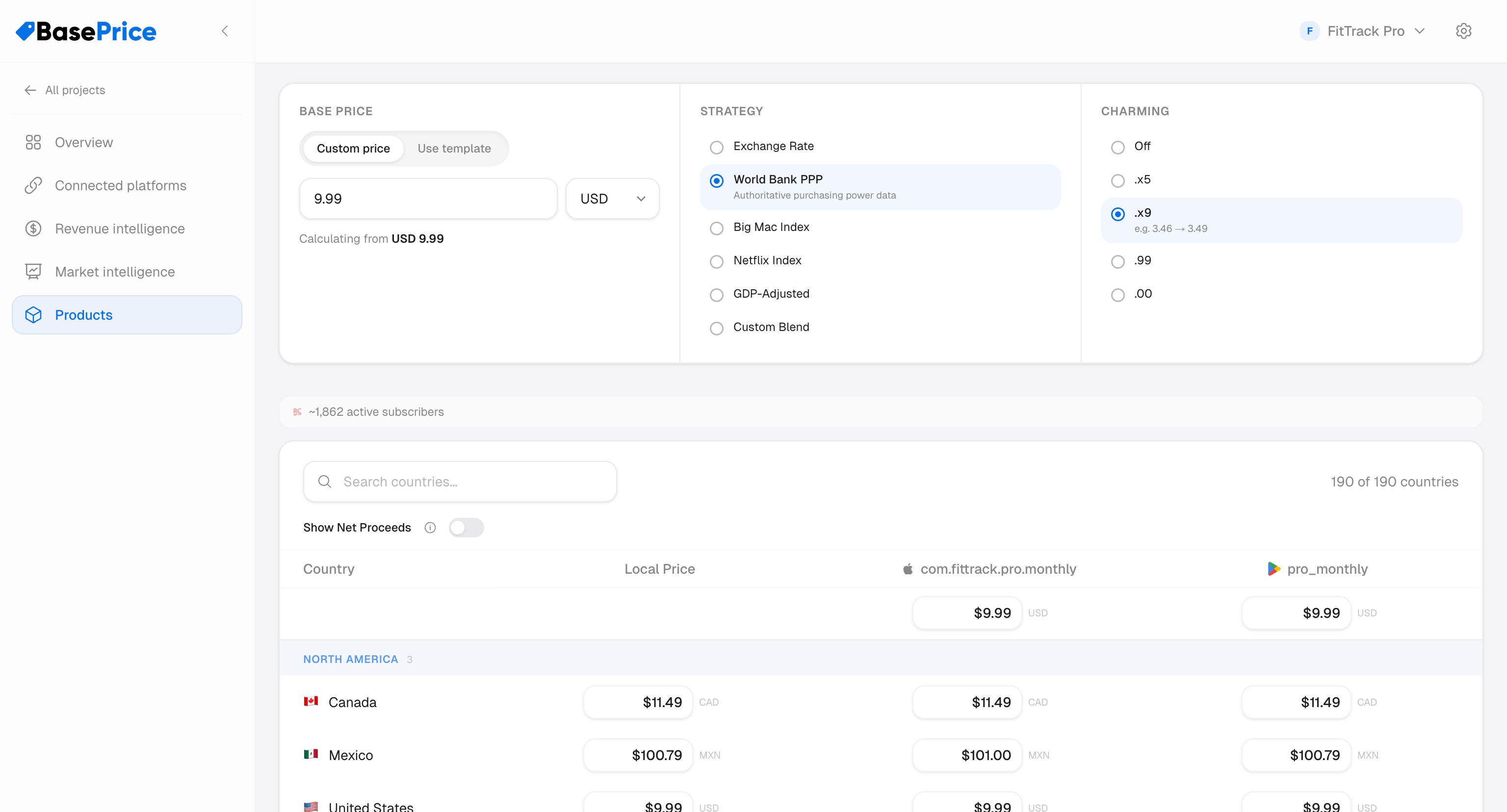
BasePrice adjusts your base price for each country using live exchange rates and a purchasing-power adjustment based on your chosen pricing strategy.
- Base Price — Your price in your home currency (e.g., $4.99 USD)
- Exchange Rate — Live FX conversion to the target currency
- PPP Adjustment — A factor that accounts for local purchasing power, determined by your strategy
After calculation, prices are optionally adjusted by:
- Charming strategy — Rounding to psychological price points (.99, .x9, etc.)
- Apple tier snapping — For App Store products, prices are snapped to the nearest valid Apple price point
- Per-country overrides — Manual price adjustments for specific countries
The Pricing Table
Once configured, the pricing table shows calculated prices for ~190 countries in a grid:
| Column | Description |
|---|---|
| Country | Country name and ISO code |
| Local | Calculated price in local currency |
| Apple columns | One per mapped Apple product — snapped to valid Apple price tier |
| Google columns | One per mapped Google product — rounded to valid Google price |
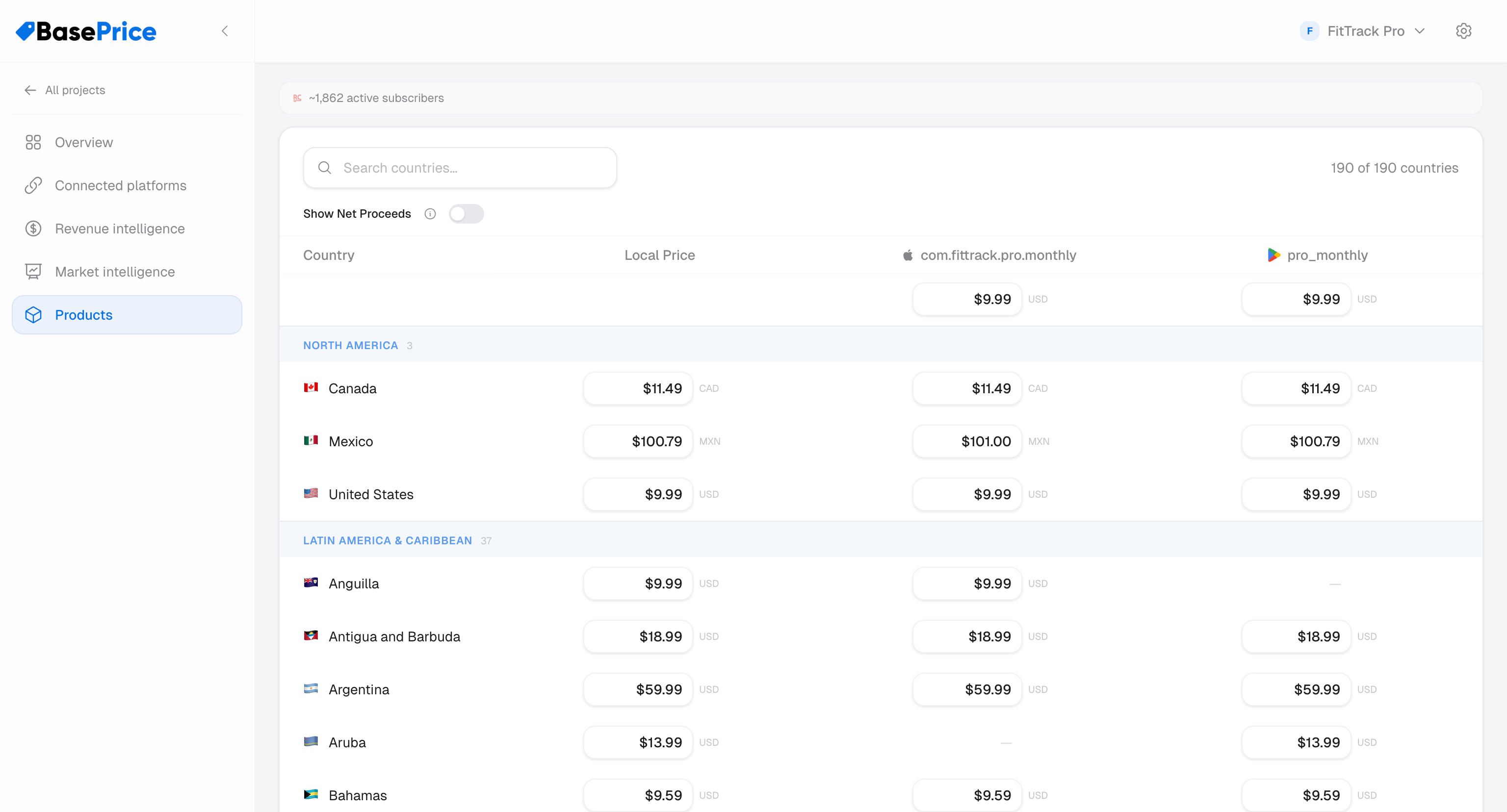
Each cell can be individually edited to set a country override.
Pricing Mode
Products can be priced in two ways:
- Template mode — Inherits base price, strategy, and charming from a shared pricing template. Great for consistency across similar products.
- Custom mode — Uses the product's own pricing settings. Full control per product.