Creating Products
Learn how to create in-app purchases and subscriptions in BasePrice. Add products manually or import them from your App Store and Google Play accounts.
Two Ways to Add Products
You can add products to your BasePrice project in two ways:
- Manual creation — Define a product from scratch
- Import from stores — Pull existing products from Apple App Store and Google Play
Manual Creation
- Navigate to your project's Products tab
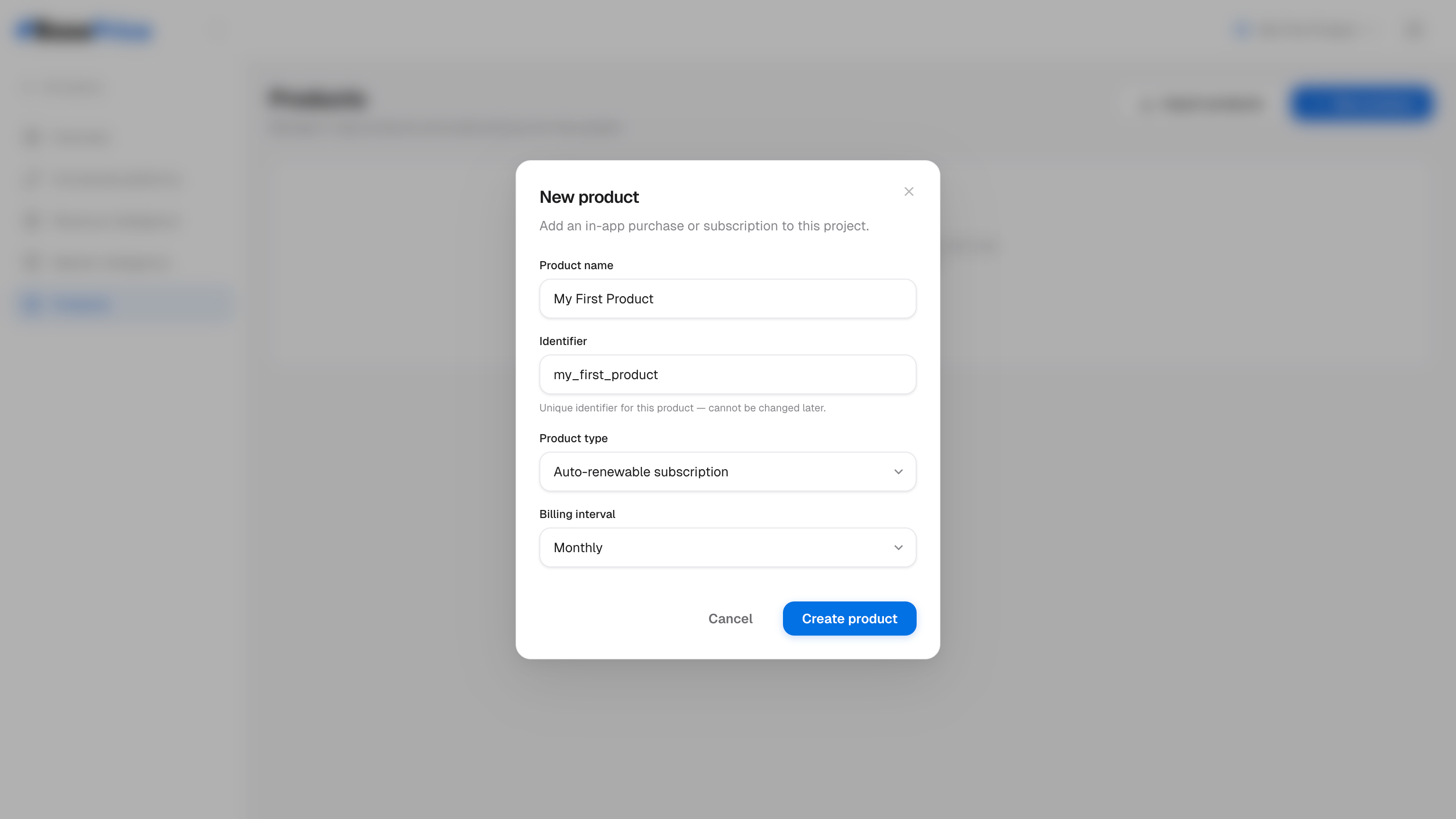
- Click New Product
- Fill in the required fields:
- Display Name — e.g., "Premium Monthly"
- Product Type — Select from consumable, non-consumable, auto-renewable subscription, or non-renewing subscription
- Interval (subscriptions only) — Monthly, yearly, weekly, etc.
- Click Create
You'll be taken to the product detail page where you can configure platform mappings and pricing.
Import from Stores
If you already have products in App Store Connect or Google Play Console, you can import them directly.
Open the Import Modal
From your project's Products tab, click Import Products. BasePrice will fetch your existing products from all connected platforms.
Review Matched Products
BasePrice automatically matches products across platforms:
- Exact match — Products with identical IDs across Apple and Google are grouped together
- Similar match — Products with similar IDs are grouped (e.g.,
pro-monthlyandpro_monthlyare recognized as the same product)
You can also manually merge rows if BasePrice didn't detect a match.
Select Products to Import
Check the products you want to import. BasePrice auto-detects:
- Product type based on store metadata
- Billing interval from the product metadata and naming patterns
Confirm Import
Click Import Selected. Products are created with their platform mappings and detected types already configured.
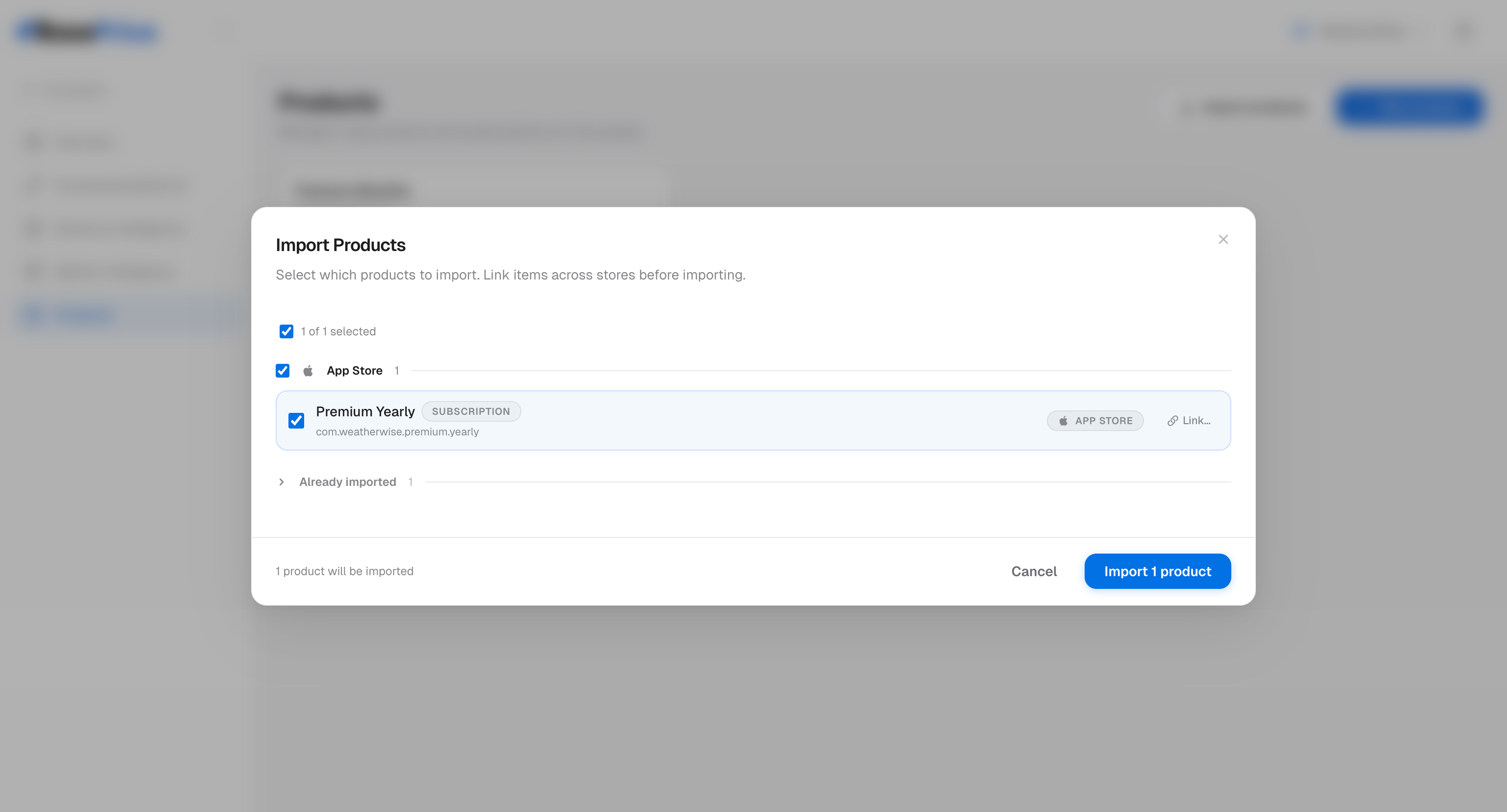
Products that have already been imported are marked with a badge so you don't accidentally create duplicates.
After Creating a Product
Once a product exists, you'll want to:
- Add platform mappings — Link the Apple and Google product IDs
- Configure pricing — Set base price and strategy
- Review prices — Check the pricing table across all countries
- Publish — Push prices to the stores