Connect App Store
Set up your App Store Connect API credentials to publish localized prices to the Apple App Store. Step-by-step guide with key generation and permissions.
To publish prices to the Apple App Store, BasePrice needs an App Store Connect API key. This guide walks you through creating the key and adding it to your project.
You need the Admin or Account Holder role in App Store Connect to create API keys.
Setup
Create an API Key
- Open App Store Connect and go to Users and Access
- Select the Integrations tab, then App Store Connect API in the left sidebar
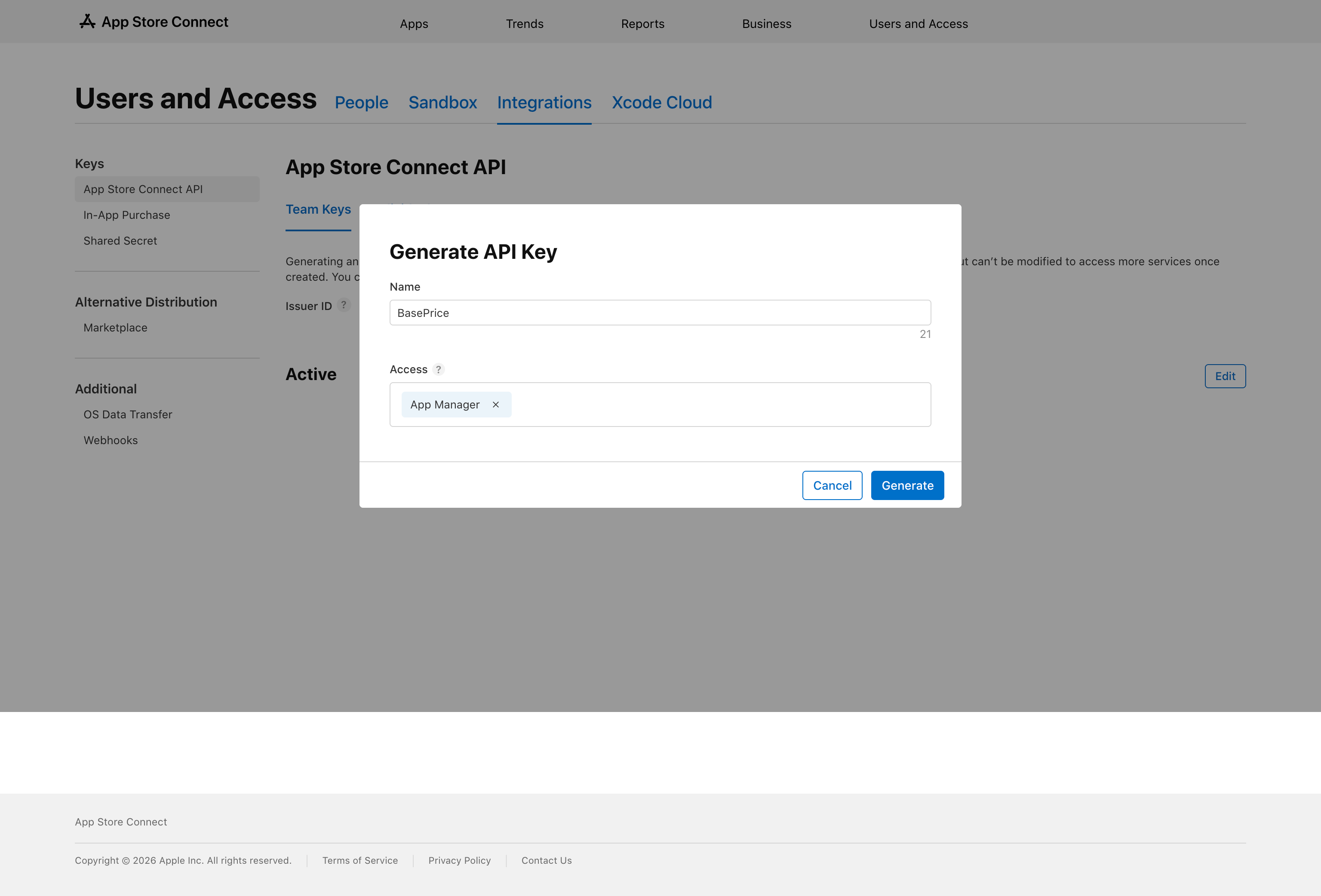
- Under the Team Keys tab, click the + button
- In the dialog, enter a name (e.g.,
BasePrice) and set the access to App Manager - Click Generate
Download the .p8 Key File
Once the key is generated, a Download link appears in the key row. Click it to save the .p8 file to your computer.
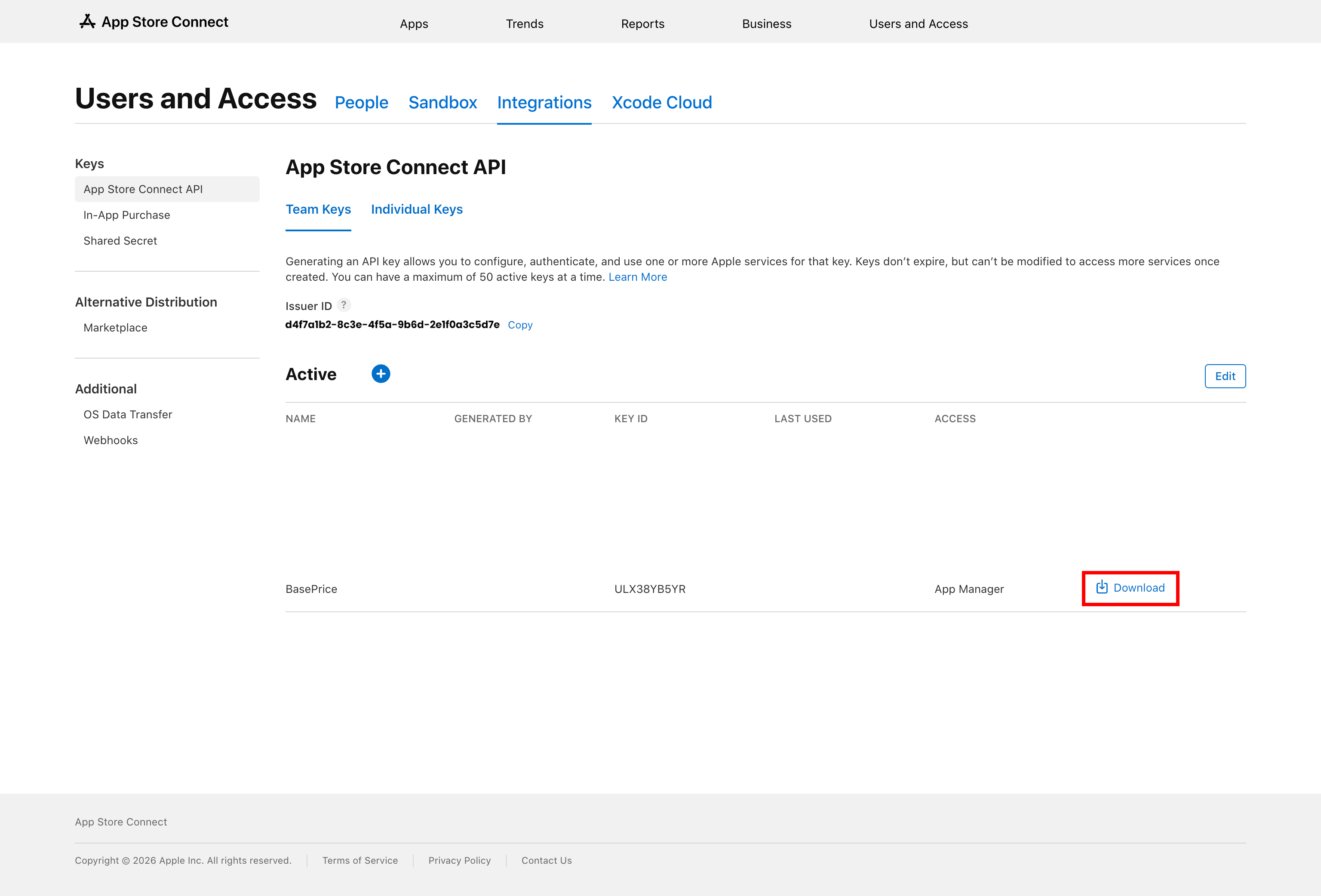
Apple only lets you download the .p8 file once. If you lose it, you'll need to revoke the key and create a new one.
Copy Your Issuer ID and Key ID
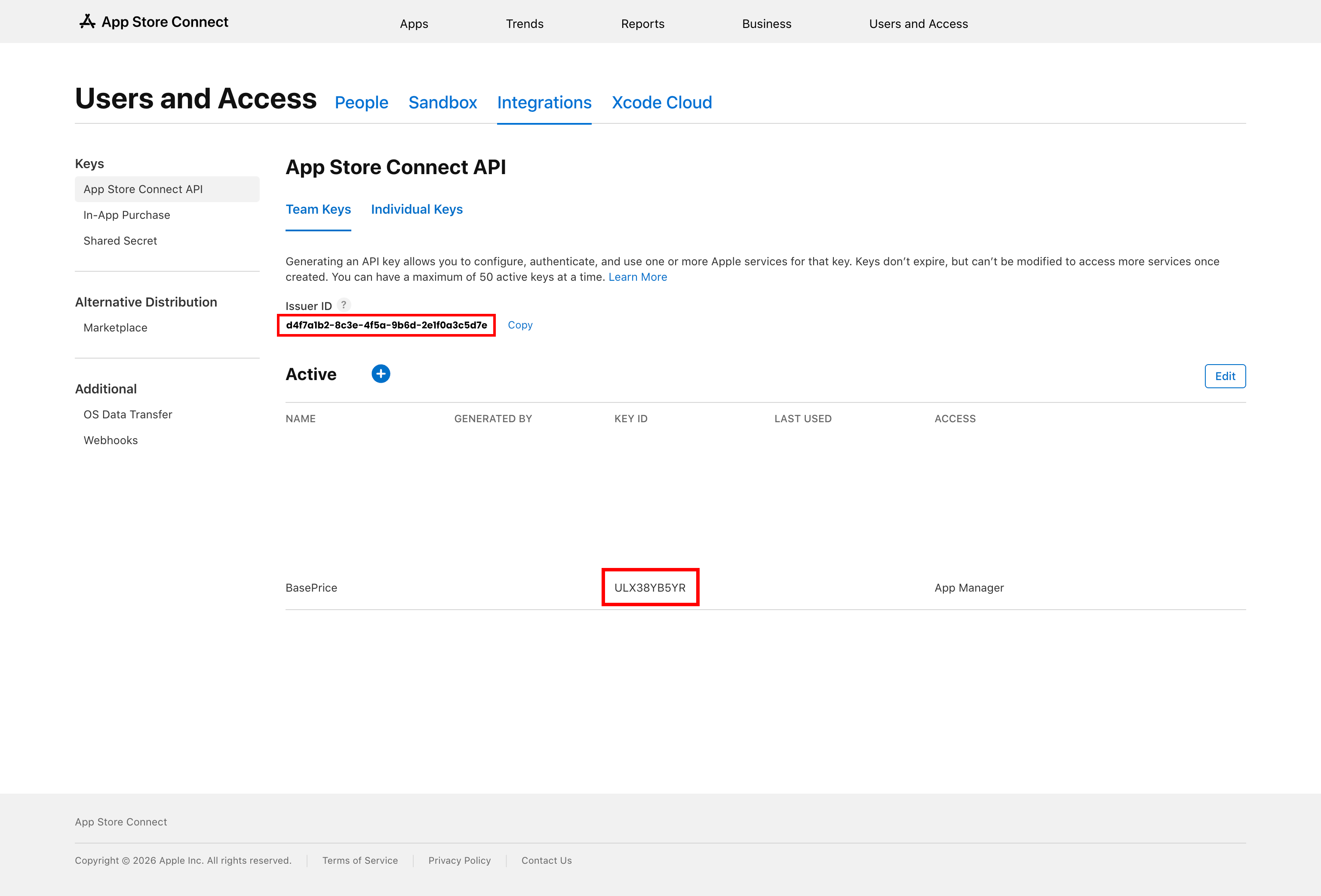
On the same page, locate:
- Issuer ID — displayed above the keys table (same for all keys in your account)
- Key ID — the alphanumeric code shown in the key's row (e.g.,
ULX38YB5YR)
Add to BasePrice
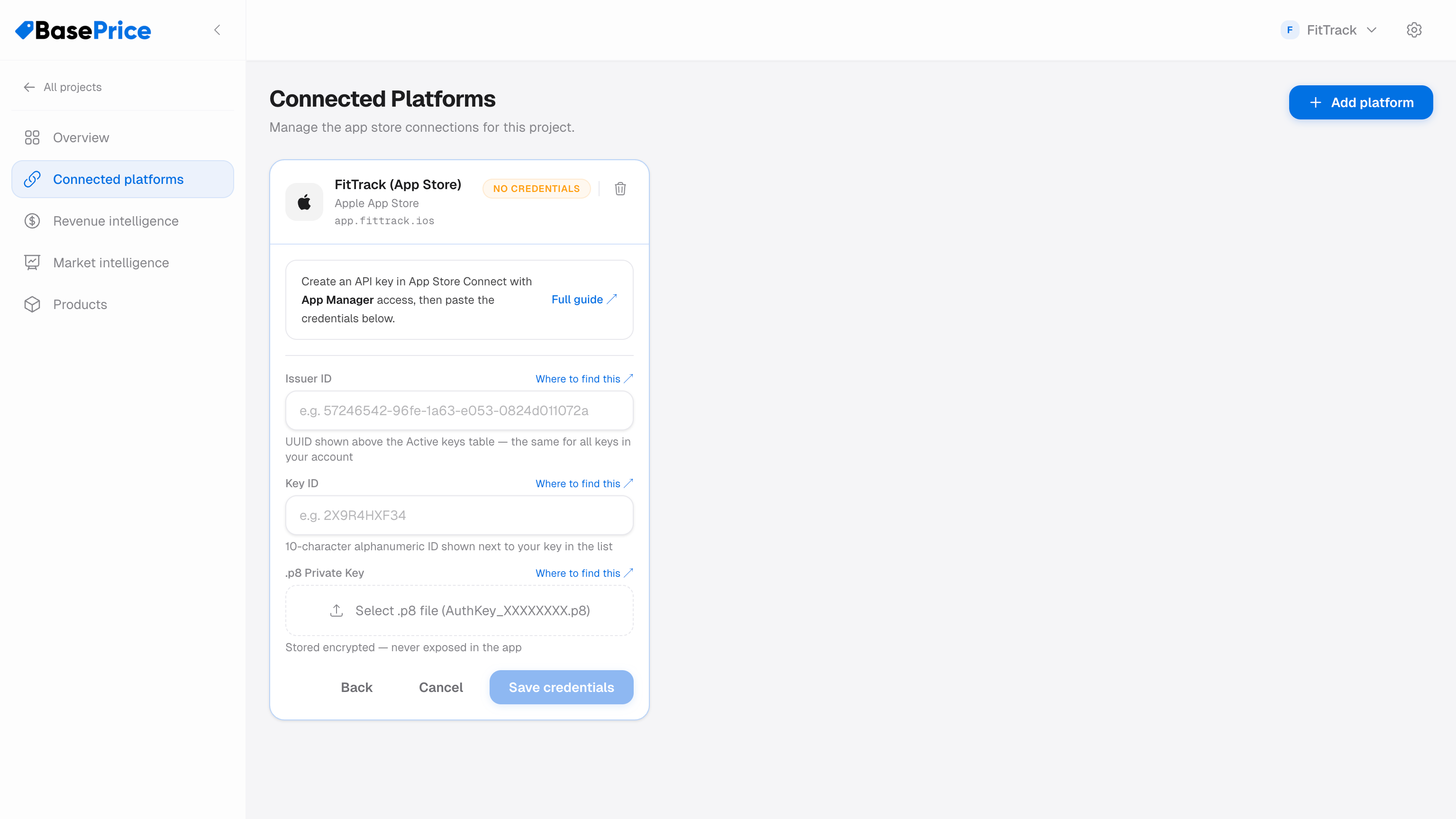
- In BasePrice, go to Connected Platforms and add Apple App Store
- Paste your Issuer ID and Key ID
- Upload or drag-and-drop the
.p8file you downloaded - Click Save credentials
BasePrice will verify the credentials with a test API call. A green checkmark confirms the connection is active.
Troubleshooting
| Issue | Solution |
|---|---|
| "Invalid credentials" | Double-check the Issuer ID and Key ID. Ensure the .p8 file is the original download — not a renamed copy or text excerpt. |
| "Insufficient permissions" | The API key needs at least App Manager access. |
| "Key not found" | New API keys can take a few minutes to propagate. Wait and retry. |