Publish History
Track every price publish with detailed per-country results, audit logs, and the ability to compare pricing snapshots across App Store and Google Play.
Overview
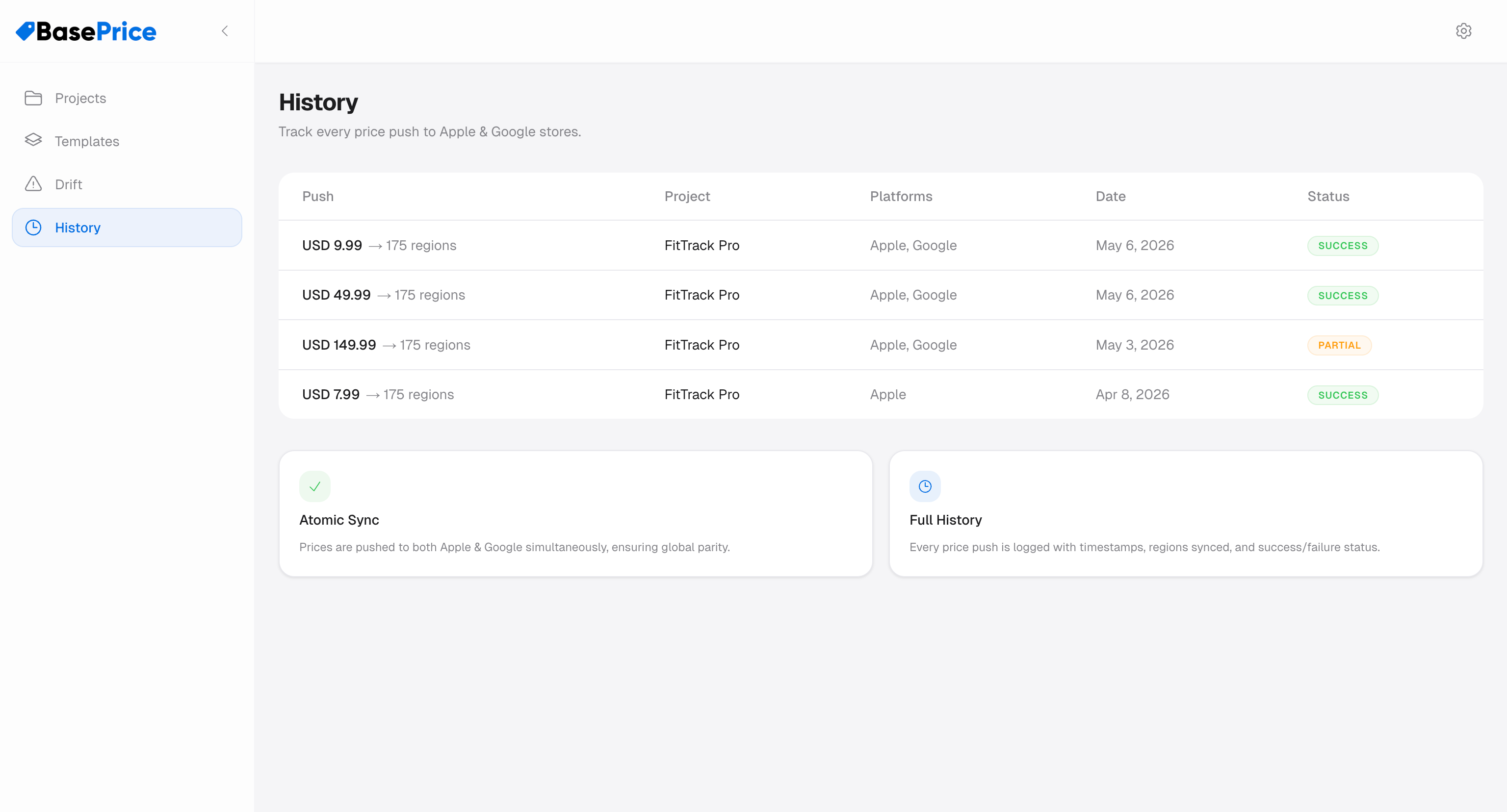
Every time you publish prices, BasePrice creates a history entry — a permanent record of what was published, when, and the results for each country.
History Entry Contents
Each history entry includes:
| Field | Description |
|---|---|
| Timestamp | When the publish was executed |
| Product | Which product was published (name + ID) |
| Platforms | Which platforms were targeted (Apple, Google, or both) |
| Status | Overall result: Success, Partial, or Failed |
| Regions | Total number of countries pushed |
| Base Price | The base price that was used for calculations |
| Pushed Prices | Snapshot of every price sent to every country |
| Regional Results | Per-country success/failure with error details |
Revenue Snapshot
If RevenueCat is connected, history entries also capture a revenue snapshot at publish time:
- Current MRR
- Active subscriber count
- Revenue figures
This lets you correlate pricing changes with revenue impact over time.
Using History
Audit Trail
History entries are never deleted and contain self-contained snapshots (including product name and prices, even if the product is later deleted). This provides a complete audit trail for:
- Compliance and record-keeping
- Debugging pricing issues
- Understanding when and why prices changed
Price Change Tracking
Compare pushed prices across history entries to see how your pricing has evolved:
- Open a history entry
- View the per-country prices that were sent
- Compare with earlier entries to see the delta
Error Investigation
If a publish had partial failures, the history entry shows exactly which countries failed and why. Each country has:
- Status —
successorfailed - Error message — Detailed error from the store API