Products Overview
Understand how products work in BasePrice, from one-time in-app purchases to auto-renewable subscriptions across Apple App Store and Google Play.
What is a Product?
A product in BasePrice represents a single purchasable item in your app. It could be a consumable, a one-time unlock, or a recurring subscription. One BasePrice product can map to multiple native store products across Apple and Google.
Product Types
BasePrice supports four in-app purchase types:
| Type | Description | Example |
|---|---|---|
| Consumable | One-time purchase that can be bought again | 100 coins, extra lives |
| Non-Consumable | Permanent one-time purchase | Remove ads, unlock Pro |
| Auto-Renewable Subscription | Recurring subscription that auto-renews | Monthly Pro, Yearly Premium |
| Non-Renewing Subscription | Subscription requiring manual renewal | Seasonal pass |
Product Structure
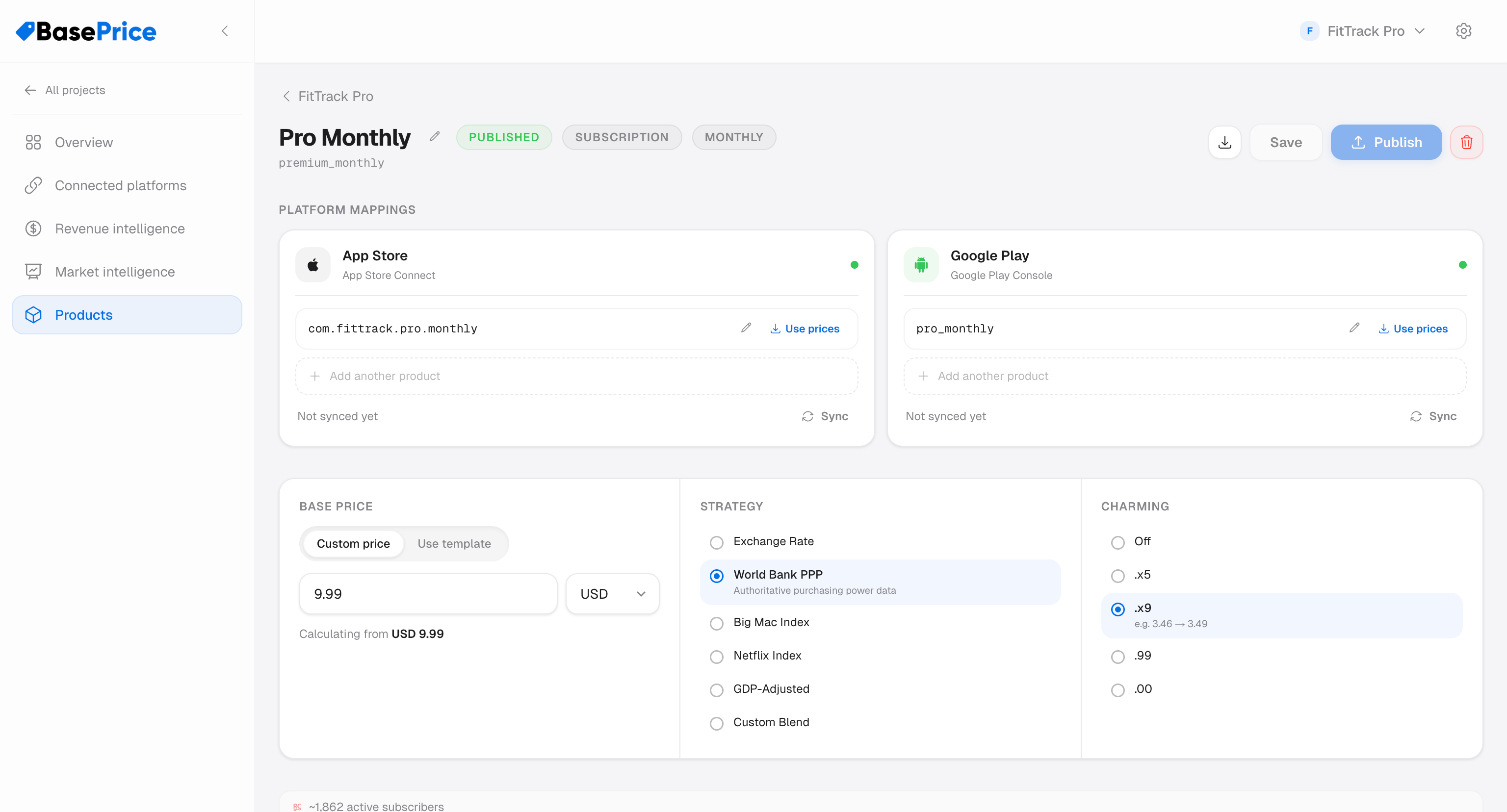
Each product contains:
- Display Name — Human-readable label (e.g., "Pro Monthly")
- Identifier — Unique ID within your project
- Product Type — One of the four types above
- Interval — Billing cadence for subscriptions (monthly, yearly, weekly, etc.)
- Platform Mappings — Links to native Apple/Google product IDs
- Pricing Configuration — Strategy, base price, charming rules, overrides
Pricing Mode
Each product can use one of two pricing modes:
- Template — Inherits pricing configuration from a shared pricing template. Changes to the template automatically propagate to all products using it.
- Custom — Uses its own base price, strategy, and charming settings. Fully independent from templates.
Product Lifecycle
- Create a product (manually or via import)
- Configure platform mappings and pricing
- Review calculated prices across all countries
- Publish prices to Apple and/or Google
- Monitor for drift and revenue impact