How It Works
Understand the BasePrice workflow, from setting up a project to publishing optimized prices across 190+ App Store and Google Play markets in one click.
The BasePrice Workflow
BasePrice follows a simple four-step workflow:
Create a Project
A project represents one app. You'll give it a name, connect your store credentials (Apple and/or Google), and optionally link RevenueCat for revenue tracking.
Add Products
Create your in-app purchases and subscriptions, or import them directly from App Store Connect and Google Play Console. Map Apple and Google products together so BasePrice knows they're the same product.
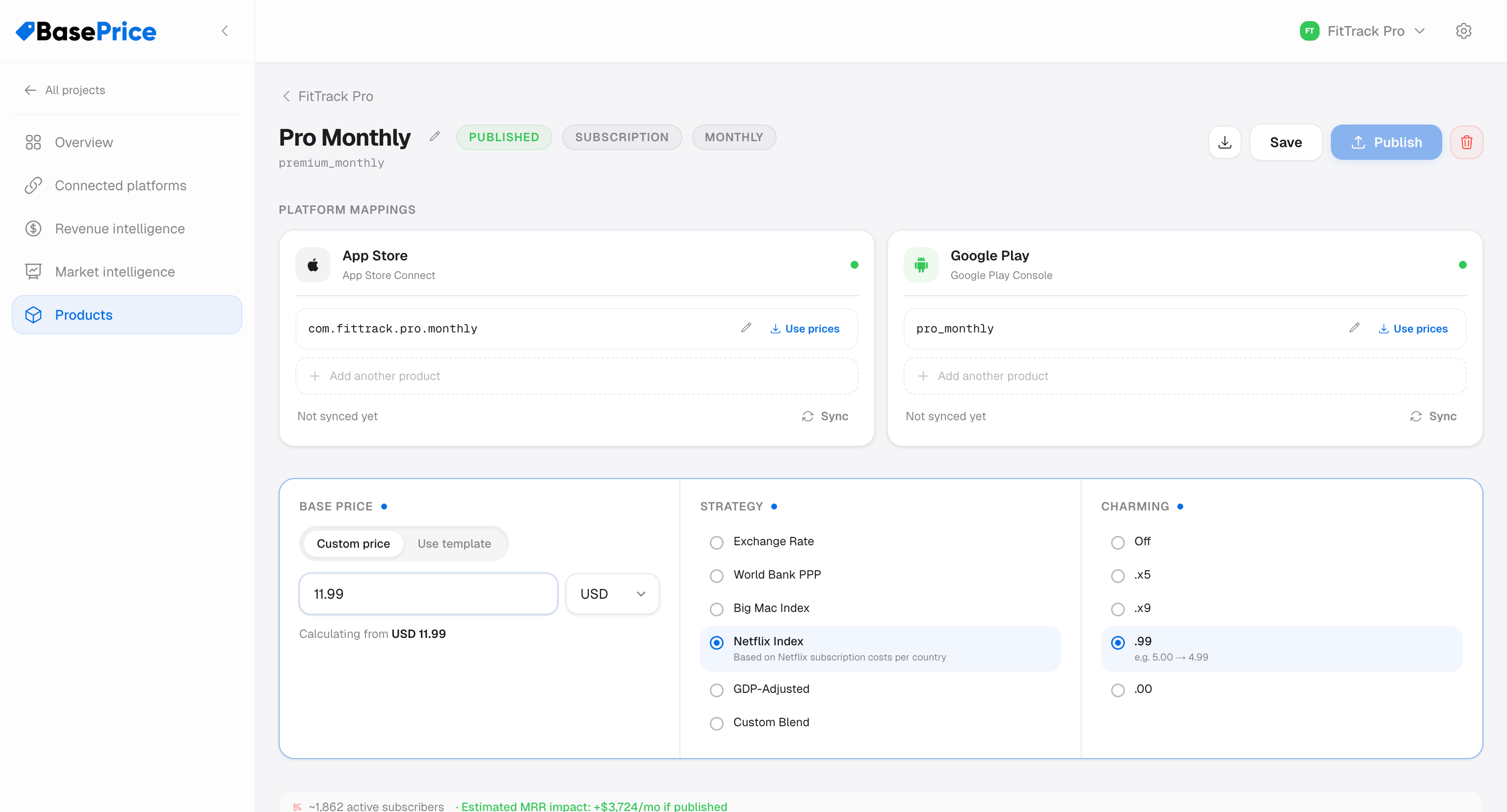
Configure Pricing
Set a base price in your home currency, then choose a pricing strategy. BasePrice calculates optimal prices for every supported market using real economic data. Fine-tune with charming price rules (like .99 endings) and per-country overrides.
Publish
Review the calculated prices in a side-by-side comparison table, then publish to both stores simultaneously. BasePrice handles API rate limits, retries failed updates, and logs everything for your records.
Architecture Overview
┌─────────────┐     ┌──────────────────┐     ┌──────────────────┐
│  Your App   │────▶│   BasePrice      │────▶│  App Store       │
│  Dashboard  │     │   Engine         │     │  Connect API     │
└─────────────┘     │                  │     └──────────────────┘
                    │  Economic Data   │
                    │                  │     ┌──────────────────┐
                    │                  │────▶│  Google Play     │
                    │                  │     │  Developer API   │
                    │                  │     └──────────────────┘
                    │  Pricing Engine  │
                    └──────────────────┘
                           │
                    ┌──────┴──────┐
                    │  RevenueCat │
                    │  (optional) │
                    └─────────────┘
What Happens When You Publish
- BasePrice calculates the target price for each country using your chosen strategy
- For Apple: it snaps each price to the nearest valid Apple price point (Apple uses fixed tiers)
- For Google: it uses the exact calculated amount (Google allows free-form pricing)
- A review table shows you every change before you confirm
- On confirmation, BasePrice pushes prices to the stores, handling rate limits and retries automatically
- Results are logged per-country with success/failure status
- If drift detection is enabled, BasePrice will monitor for future unauthorized changes
BasePrice is a dashboard tool — it talks directly to Apple and Google's APIs. You don't need to install any SDK in your app.