Connect Apple
Set up your App Store Connect API credentials to publish prices to the Apple App Store.
Overview
To publish prices to the Apple App Store, BasePrice needs access to the App Store Connect API. This requires creating an API key in your Apple developer account.
💡Required Role
You need the Admin or Account Holder role in App Store Connect to create API keys.
Step 1: Create an API Key
- Go to App Store Connect
- Navigate to Users and Access → Integrations → App Store Connect API
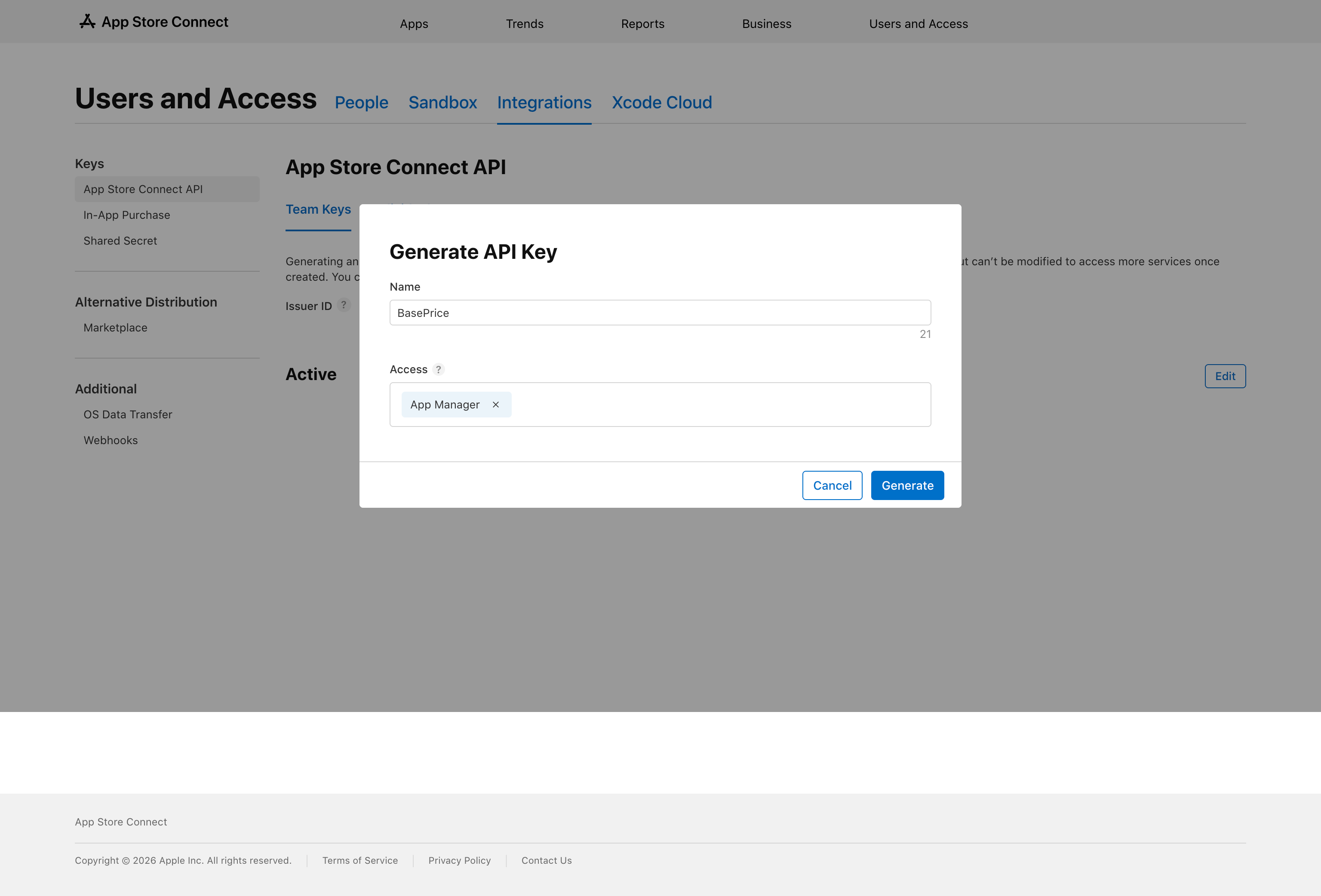
- Click the + button to create a new key
- Give it a name (e.g., "BasePrice")
- Set the access level to App Manager
- Click Generate
Step 2: Download the Key
After generating, you'll see a Download button. Click it to download the .p8 file.
⚠️Save this file!
Apple only lets you download the .p8 file once. Store it securely. If you lose it, you'll need to create a new key.
Step 3: Note Your IDs
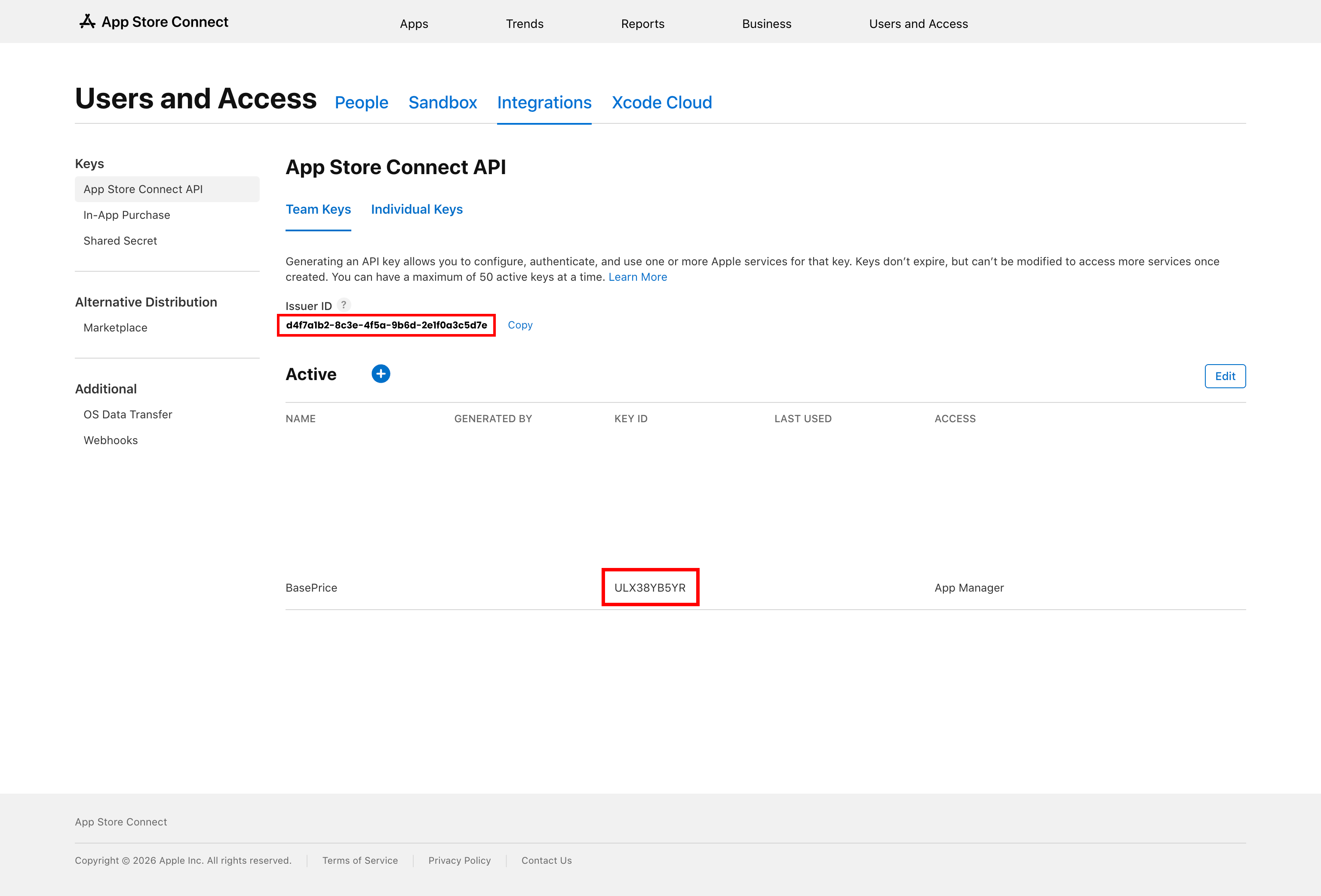
From the same page, copy these two values:
- Issuer ID — Shown at the top of the API keys page
- Key ID — Listed next to your newly created key
Step 4: Add to BasePrice
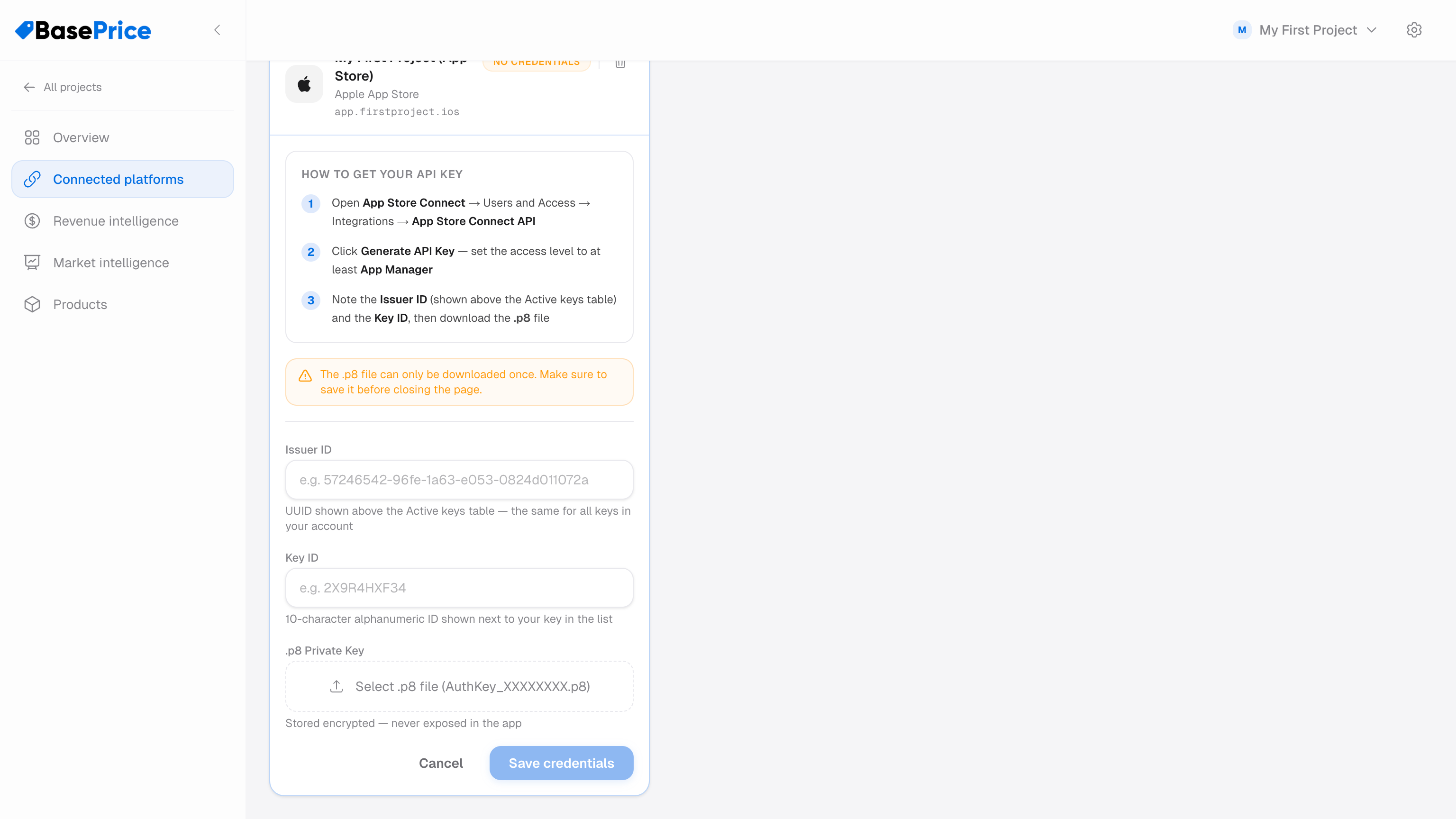
- Open your project in BasePrice
- Go to the Platforms tab
- Click Add Platform → Apple App Store
- Paste your Issuer ID, Key ID, and the contents of the
.p8file - Click Save
BasePrice will validate the credentials by making a test API call. If successful, you'll see a green checkmark.
Troubleshooting
| Issue | Solution |
|---|---|
| "Invalid credentials" | Double-check the Issuer ID and Key ID match. Ensure the .p8 contents include the full key (including header/footer lines). |
| "Insufficient permissions" | The API key needs App Manager access or higher. |
| "Key not found" | Apple API keys can take a few minutes to propagate. Wait and retry. |