Publish Prices
Execute the publish operation and push your calculated prices to Apple App Store and Google Play. Covers readiness checks, confirmation, and error handling.
Executing a Publish
Once you've reviewed the changes and confirmed everything looks good:
- Select the store products you want to update
- (Optional) Set a schedule date for Apple products
- Click Publish
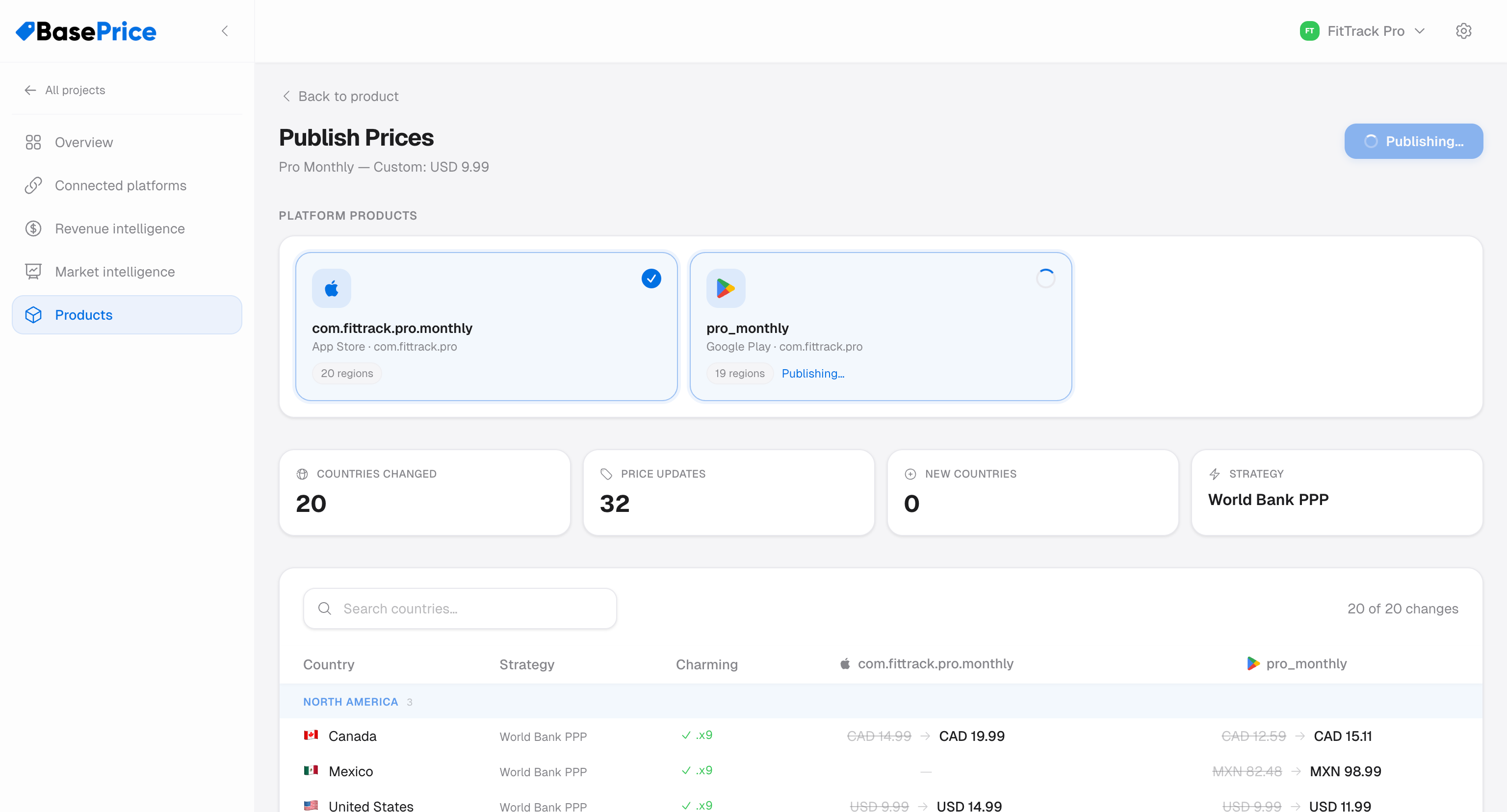
BasePrice publishes to Apple and Google in parallel, handling each platform's API independently.
What Happens During Publishing
Status Flow
Each store product progresses through a series of states during publishing — from Pending through Publishing to a final result (Success, Partial, or Failed). After a successful publish, BasePrice verifies prices by syncing them back from the stores.
Per-Country Results
During publishing, you can see real-time progress per store product:
- Success count — Number of countries updated
- Fail count — Number of countries that errored
- Logs — Detailed operation log for debugging
Error Handling
Automatic Retries
BasePrice automatically retries failed requests with increasing wait times. This is especially important for Apple, which enforces strict rate limits.
Common Errors
| Error | Cause | Resolution |
|---|---|---|
| Rate limit (429) | Too many API calls | Auto-retried; wait and publish remaining |
| Invalid credentials | Expired or revoked API key | Reconnect credentials in Platforms |
| Product not found (404) | Native product ID doesn't exist in the store | Check platform mapping |
| Permission denied | API key lacks required permissions | Verify key has Admin access |
For detailed error reference, see Apple Errors and Google Errors.
After Publishing
Once publishing completes:
- Draft prices become the published snapshot (used for drift detection)
- A history entry is created with the full results
- If RevenueCat is connected, a revenue snapshot is captured at publish time
- Product status transitions to Published
BasePrice automatically syncs live prices from the stores after publishing to verify the changes took effect. This appears as the "Syncing → Synced" step.