Market Intelligence
Track competitor App Store pricing across countries and subscription intervals. Benchmark your prices and spot opportunities in 185 markets automatically.
Market Intelligence is available on the Growth and Scale tiers. App Store only — Google Play is not currently supported.
Overview
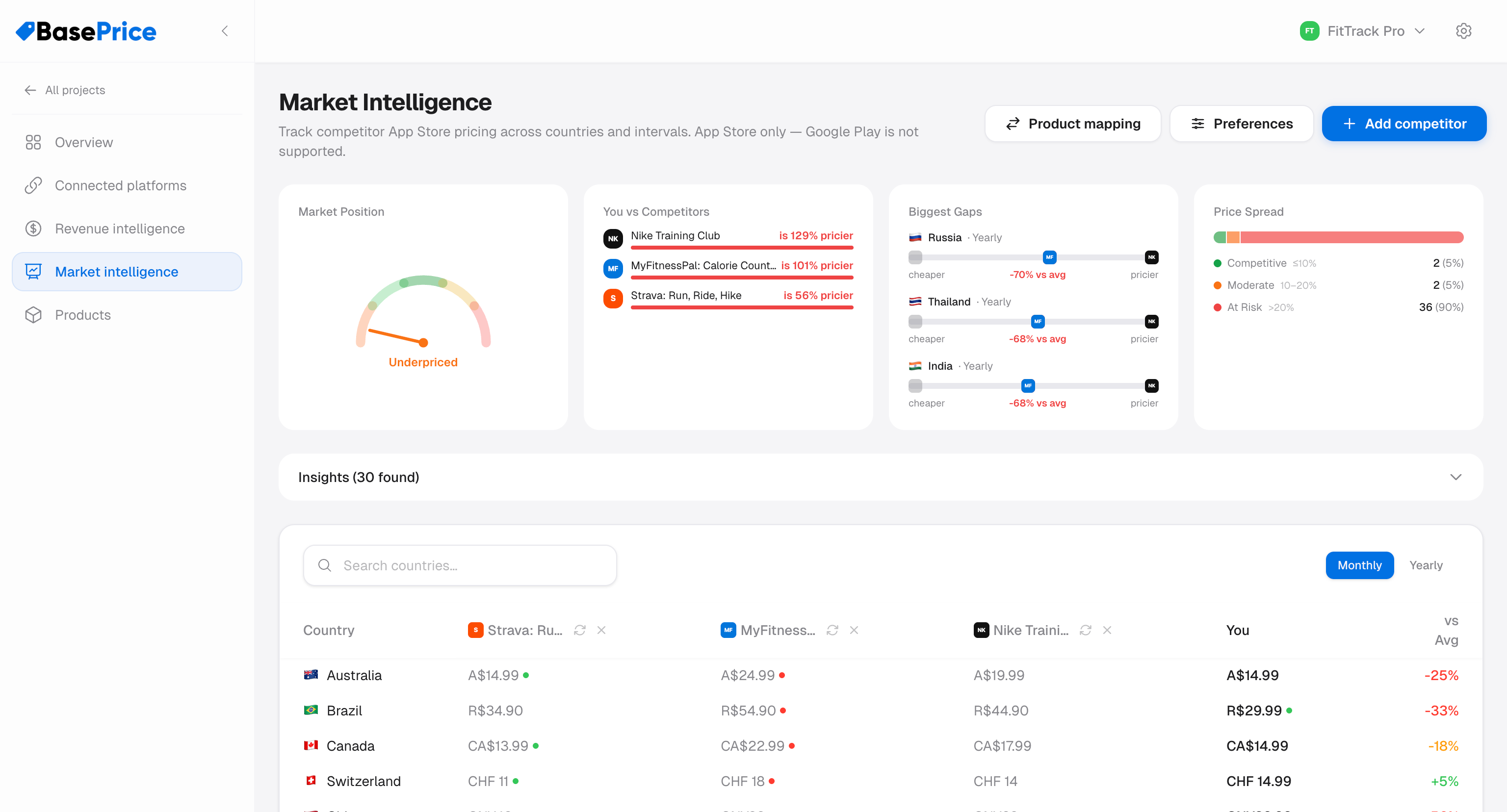
Market Intelligence lets you monitor how competitors price their App Store subscriptions across countries and billing intervals. By comparing your prices side-by-side with up to 5 competitors, you can spot opportunities to adjust your pricing strategy.
How It Works
Add Competitors
Search for any App Store app by name or ID.
Map Products
Map each competitor's subscription tiers to your own products so BasePrice can compare equivalent offerings (e.g., your "Pro Monthly" vs. their "Premium Monthly").
Compare Prices
View a country-by-country pricing table with your price alongside each competitor's price, color-coded to show where you're cheaper, more expensive, or in line with the market.
Key Features
Summary Cards
At the top of the page, summary cards give you a quick overview:
| Card | Description |
|---|---|
| Market Position | Where your pricing sits relative to competitors (cheapest, mid-range, most expensive) |
| Cheapest In | Number of countries where you have the lowest price |
| Most Expensive In | Number of countries where you have the highest price |
| Avg. Difference | Your average price difference vs. the competitor average |
Insights Panel
BasePrice generates actionable insights based on the pricing data:
- Countries where you're significantly more expensive than competitors
- Countries where you're significantly cheaper (potential revenue upside)
- Markets where competitors cluster at a similar price point
Competitor Price Table
The main table shows per-country pricing for you and every tracked competitor, including:
- Local currency prices
- Color-coded cells showing your relative position (green = cheaper, red = more expensive)
- Interval filter to compare weekly, monthly, yearly, or lifetime pricing
Product Mapping
When you have multiple products or competitors have multiple tiers, the Product Mapping dialog lets you define which competitor product maps to which of your products. This ensures apples-to-apples comparisons.
Preferences
The Preferences dialog lets you choose how competitor price ranges are displayed:
| Mode | Description |
|---|---|
| Average | Show the average price across all competitors |
| Min–Max | Show the cheapest and most expensive competitor price |
Adding a Competitor
- Click Add competitor
- Search for the app by name or paste its App Store URL/ID
- Pricing data appears once the import completes
You can track up to 5 competitors per project.
Syncing Prices
Click the sync button on a competitor row to refresh its pricing data.
Limitations
- App Store only — Google Play competitor pricing is not currently supported
- Subscription pricing only — Introductory offers, promotional pricing, and in-app pricing are not included