Pricing Templates
Create reusable pricing configurations to keep pricing consistent across multiple products. Apply the same strategy, overrides, and rounding to new items.
What Are Templates?
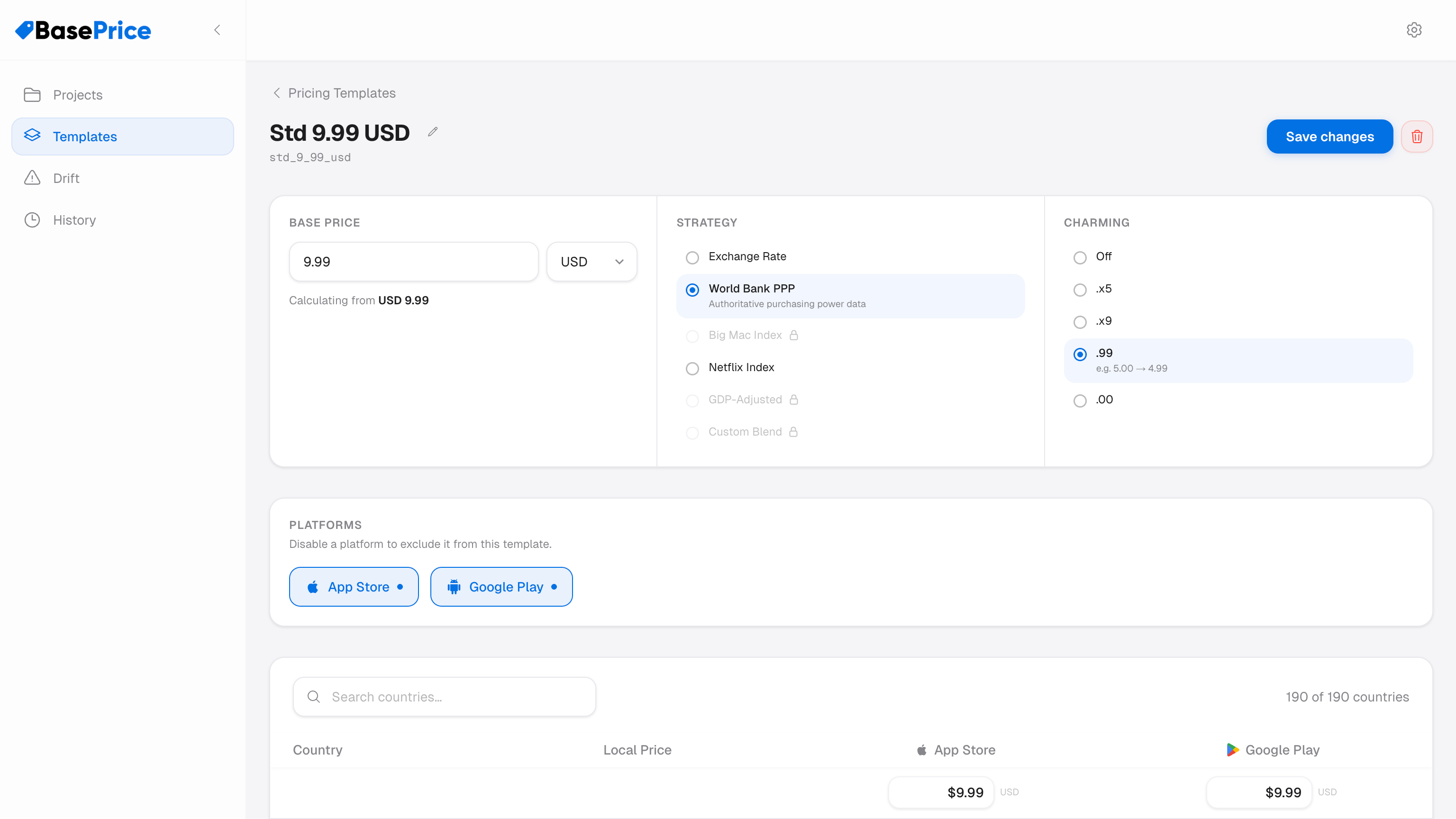
A pricing template is a reusable set of pricing settings that can be shared across multiple products. Instead of configuring base price, strategy, and charming rules on every product individually, you create a template once and assign it to products.
When you update a template, all products using it are recalculated automatically.
Template Settings
A template contains:
| Setting | Description |
|---|---|
| Name | Descriptive label (e.g., "Default Global Pricing") |
| Base Price | Price in your home currency |
| Base Currency | Your home currency (e.g., USD, EUR) |
| Pricing Strategy | One of the 6 available strategies |
| Charming Strategy | Price rounding rule (.99, .x9, etc.) |
| Custom Blend Weight | If using Custom Blend strategy |
Using Templates
Creating a Template
- Navigate to your project's Templates section
- Click New Template
- Configure the pricing settings
- Save the template
Assigning to a Product
- Open a product's detail page
- In the Pricing Configuration section, select Template mode
- Choose your template from the dropdown
- Prices recalculate immediately based on the template's settings
Template vs Custom Mode
Each product has a pricing mode toggle:
- Template mode — Product inherits all pricing settings from the selected template
- Custom mode — Product uses its own independent pricing settings
Per-country overrides are set at the product level, not the template level. Switching between template and custom mode doesn't affect your overrides.
When to Use Templates
- Multiple similar products — All your monthly subscriptions share the same base price and strategy
- Consistency — Ensure all products follow the same pricing methodology
- Batch updates — Change the base price once and all linked products update
Per-Platform Base Price Overrides
Templates can set different base prices per platform. For example, you might want a slightly higher base price for App Store products to account for Apple's 30% commission, while keeping Google Play prices lower.