Country Overrides
Manually set prices for specific countries when the calculated price doesn't fit your needs. Override any market without changing your global strategy.
Overview
While BasePrice calculates prices automatically using your chosen strategy, sometimes you need manual control. Country overrides let you set exact prices for specific countries, overriding the calculated values.
Three Override Levels
Overrides follow a priority order — the most specific override wins:
1. Cell Override (Highest Priority)
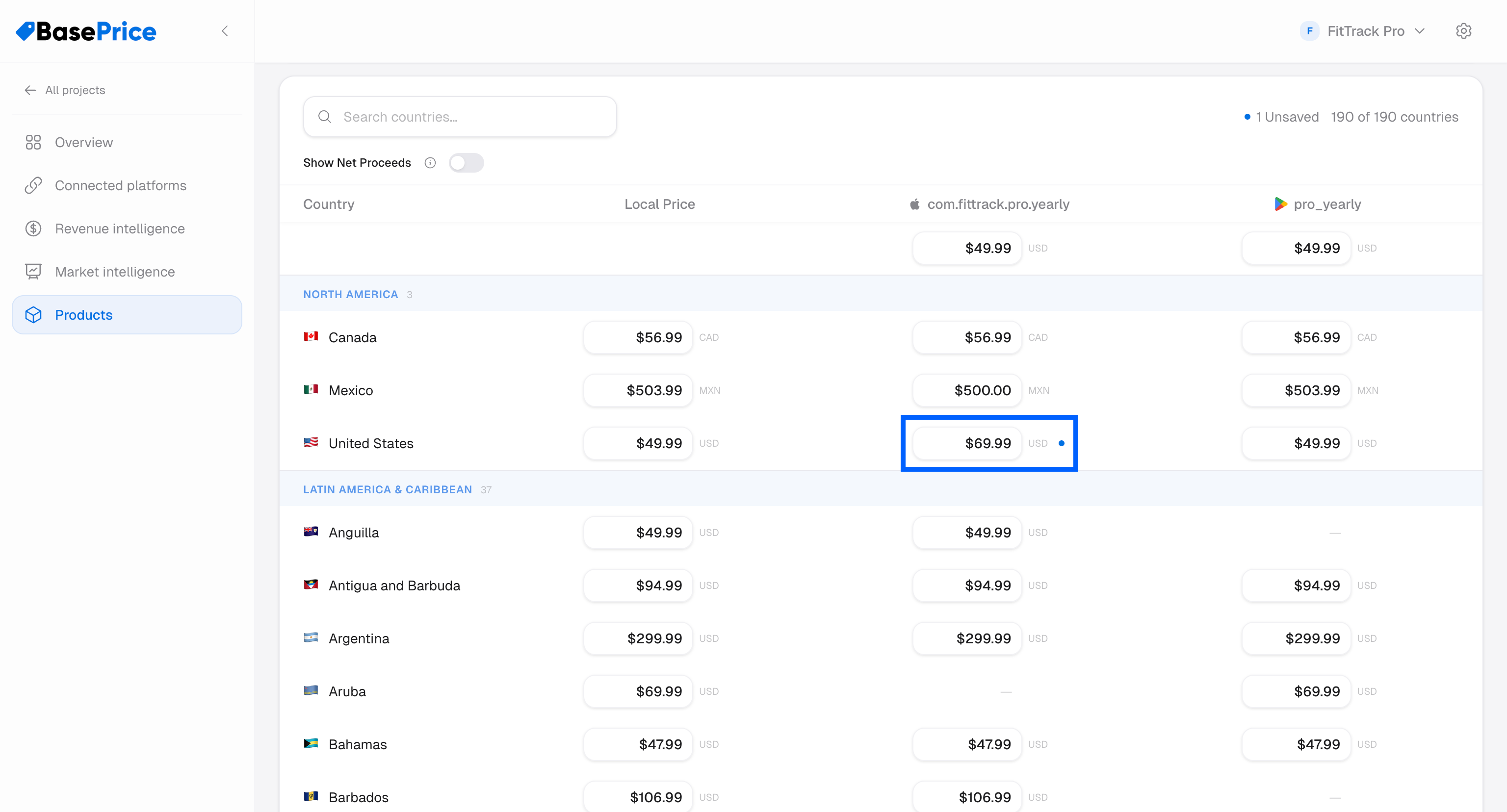
Override a price for a specific store product in a specific country. This is the most granular level.
Use case: You want Google Play's premium_monthly to be ¥980 in Japan, while Apple's com.app.premium.monthly stays at the calculated price.
2. Store Product Base Price Override
Override the base price for an entire store product column. All countries recalculate using this new base instead of the global base price.
Use case: You want your Apple products priced 10% higher than Google to account for the higher commission.
3. Country Override (Lowest Priority)
Override the local price for a country across all platforms.
Use case: You want all products in Brazil to use R$9.90 regardless of strategy calculations.
Priority Order
Overrides follow a priority order — the most specific override wins. A price set for a specific store product in a specific country takes priority over a column-wide base price override, which takes priority over a country-wide override, which in turn takes priority over the strategy-calculated price.
Setting Overrides
In the Pricing Table
- Open your product's pricing table
- Click on any price cell
- Type your desired price
- The cell is marked as edited (with an accent indicator)
- Click Save to persist the override
Clearing Overrides
To remove an override and revert to the calculated price, clear the cell value and save.
When you change your base price, currency, or pricing strategy, all overrides are automatically cleared. This prevents stale override values from conflicting with the new pricing basis.
When to Use Overrides
- Strategic markets — Set specific prices in your top revenue countries
- Competitive pricing — Match or undercut a competitor's price in a specific market
- Regulatory requirements — Some markets have pricing regulations
- Testing — Try different price points in specific markets before a full rollout